
Have you ever built a VM and went a bit nuts in terms of the initial maximum size you allocated to the VMDK? Something like this?
I know I have. Extending a virtual disk with VMware Fusion is a piece of cake, but shrinking one (and by shrinking I mean reducing the maximum size of the disk) isn’t as straight forward.

So this is where you go to extend a virtual disk. The presence of an adjustment bar suggests you can drag the bar right to expand or left to shrink the VMDK, but alas you can’t drag the bar left, and trying to override the value in the text field only produces the following error
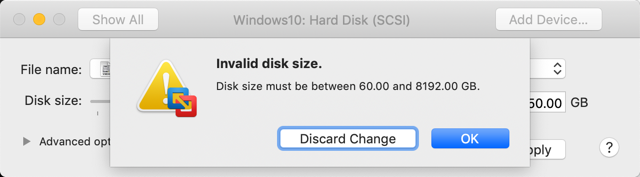
Now I know that the disk is thin-provisioned, and in the case of the above, if I successfully reduce the 60GB limit to 50GB then its not going to make any difference to the space consumed on disk, but I confess I have a touch of OCD so I wasn’t going to be happy until that maximum value read 50GB

I dug around with Dr Google for a while, and struggled to find the answer. I read that the only supported method was to use VMware vCenter Converter (which I tried) but it was real slow as it does a file based copy, and didn’t actually work for me in the end. So I kept poking around and managed to get it done – so I thought I’d share a Pro Tip that might help others get to the solution a little faster.
#Disclaimer: It worked for me. Its not a supported or documented method, so your mileage may vary, backup your VM before trying etc!!
So first of all, we need to shrink the partition on the disk so that we dont lob off the end of it when we shrink the VMDK. I advocate running a defrag of the volume at the OS level before you start.
Feel free to go as small as it allows, but shoot for a final volume size that is at least 4-5 GB smaller than the size you want to adjust the VMDK to. This makes it easier to manage the empty VMDK extents later, and you can always expand the volume back out to the end of the drive at the end of the process.

Now that we have a disk setup that looks like the below, we can crack on with altering the VMDK itself. Note the 14.51GB free at the moment.
